
How to Search Civil Dockets
Start with the Sutton Judicial Records Search. Choose District Court for district civil and family matters, or County Court for county civil and probate records. The county states that this online path covers records from 1992 forward. Justice Court keeps its own small-claims, debt, and eviction-type civil work, so a justice cause should not be forced into either main search block.
Use the exact cause number when known. A party name may work if the live vendor interface offers it, but the county landing page does not expose stable name-search fields. Record the court name, case style, cause number, filing date, and setting. Those details also make a later copy request far more precise.
- Classify the cause as District, County, or Justice Court.
- Open the correct county search block and enter the exact cause number first.
- Use party-name searching only through fields the live service presents.
- Compare the result with the civil docket list or calendar for the next setting.
- Ask the clerk for the precise pleading, order, or certified judgment needed.
Sutton Civil Dockets by Court
The 112th District Court carries district civil and family categories. Sutton's constitutional County Court provides county civil and probate access, while Justice Court handles its lower-level civil jurisdiction. No statutory county court at law was located. The court heading matters even though Pam Thorp's combined Sutton County & District Clerk office performs both district and county clerk work.
| Court | Civil scope | Record route |
|---|---|---|
| 112th District Court | District civil and family matters | District Clerk search and docket list |
| Sutton County Court | County civil and probate matters | County Clerk search and calendar |
| Justice Court | Small claims, debt, and eviction-type matters | Justice office |
Labels prevent false matches. They also tell the clerk which file system to check.
What a Civil Docket Shows
A civil docket is the event record around a lawsuit. A useful result can identify the cause, parties, filings, settings, motions, orders, and judgment. Yet Sutton's current civil PDFs were not reliably retrievable during research. Exact local column order and abbreviations therefore should not be inferred from criminal sheets. The safe fields below describe the civil record concepts supported by the county form and rules.
| Cause number | The court's unique identifier, which should be copied exactly. |
|---|---|
| Case style | The formal title naming the parties or matter. |
| Filings | Pleadings such as a petition or answer, when the public view exposes them. |
| Motions and settings | Requests for orders and scheduled hearings or docket calls. |
| Order or judgment | The court's direction or final ruling, which may require a clerk copy. |
Sutton Civil PDF Limits
The county links civil docket PDFs, but the inspected files did not yield a dependable field inventory. That gap matters. It would be wrong to borrow offense, bond, or interpreter columns from a criminal docket and describe them as civil fields. Use a posted civil list for what it actually shows, and move to the online case record or clerk for a full event history.
A civil docket row is also not a certified judgment. It may show that a motion, docket call, or final hearing was set. The filed order states what the court did. When the distinction affects a deadline or legal right, get the document from the Sutton County & District Clerk.
Practical rule: Quote only fields visible in the live civil record and verify the result against the filed order.
Types of Civil Cases on the Docket
Sutton's court map supports several civil paths. The district directory includes civil and family categories for the 112th District Court. County Clerk materials include county civil and probate work. Justice Court handles the small-claims and related civil territory assigned by Texas law. A case type alone does not always show jurisdiction, so pair it with the court named on the petition or notice.
- General civil suits assigned to District Court
- Family matters in the district caseload
- County Court civil and probate matters
- Justice Court small claims and debt cases
- Eviction-type civil proceedings in Justice Court
Sutton Civil Setting Requests
The 112th Judicial District local rules create a distinct Sutton workflow. Rule 1.10 directs counsel to call the Court Administrator in Ozona before sending a motion or order to set a matter. It also says civil final hearings and motions for summary judgment must be held in the county. Rule 1.11 sends the written setting request to the Court Administrator, rather than filing that request with the Sutton Clerk.
The request should include the case style, cause number, county, attorney name, address, phone, and represented party. The published rule contains historical personnel names, so rely on its procedure while checking the current Texas judicial directory for staff identity. The court administrator's published office is in Ozona, while the Sutton record counter is in Sonora. Setting and record-copy questions can thus go to different places.
Settings and Hearings on Civil Dockets
The District Court calendar separates Civil Docket Call from Criminal Docket Call. A civil setting should be read with the court, cause number, date, time, and event type together. A docket call may address status or readiness for several cases. It is not automatically the trial date. A reset places the event on a new date, while a continuance is a court-approved delay.
Compare any civil PDF with the Sutton County court calendar. If the sources differ, the court or clerk must confirm the operative date. Do not infer that a canceled or moved setting dismissed the case. District final-hearing requests also follow the Ozona administrator procedure described in the local rules.
eFileTexas and Sutton Civil Dockets
eFileTexas is the official electronic filing system referenced by Sutton County. Filing and searching are separate tasks. A document submitted electronically may not appear at once in every public view, and a posted civil docket need not contain the document image.
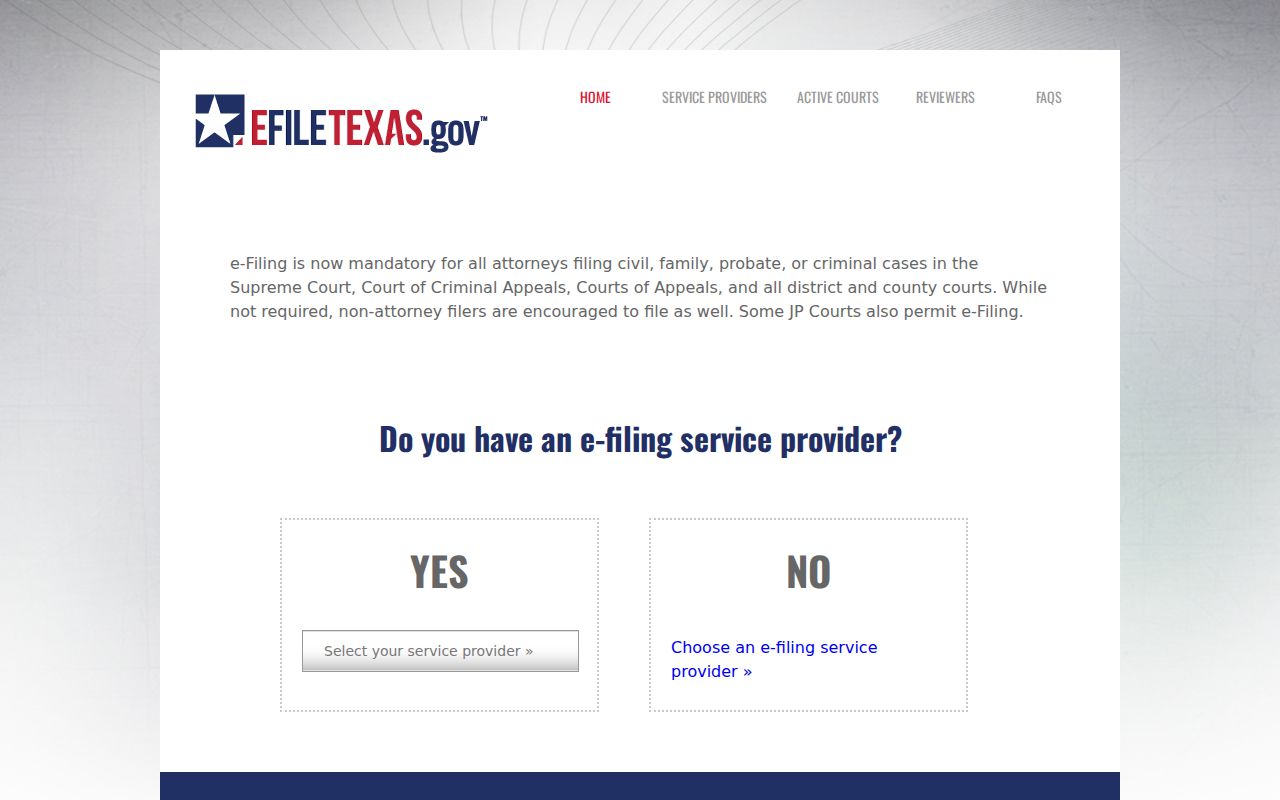
The filing screen helps a party send a document through the authorized system. It does not replace the county search map or a certified copy from the Sutton clerk. The linked usage agreement also identifies re:SearchTX as the statewide access layer and stresses verification.
Public Access to Civil Dockets
Texas Rule 76a begins with a presumption that civil court records are open and sets a demanding standard for sealing. That does not override laws protecting juvenile, family, adoption, mental-health, and other sensitive records. A blank public result can also mean the case is older than the online range, is in another court, was not posted, or has not been digitized.
Key Rules:
Texas Rule of Civil Procedure 76a states the general open-record presumption and sealing test.
Texas judicial-record policy explains why court records are governed by judicial rules, statutes, and common law.
Government Code § 552.0035 separates judicial records from ordinary Public Information Act treatment.
Ask the records custodian what rule or order limits access. Never try to bypass a restriction. The clerk's local form remains the practical route for a described public document.
Sutton Civil Copies and Fees
The County Clerk page identifies the combined office's civil access limits and request route.
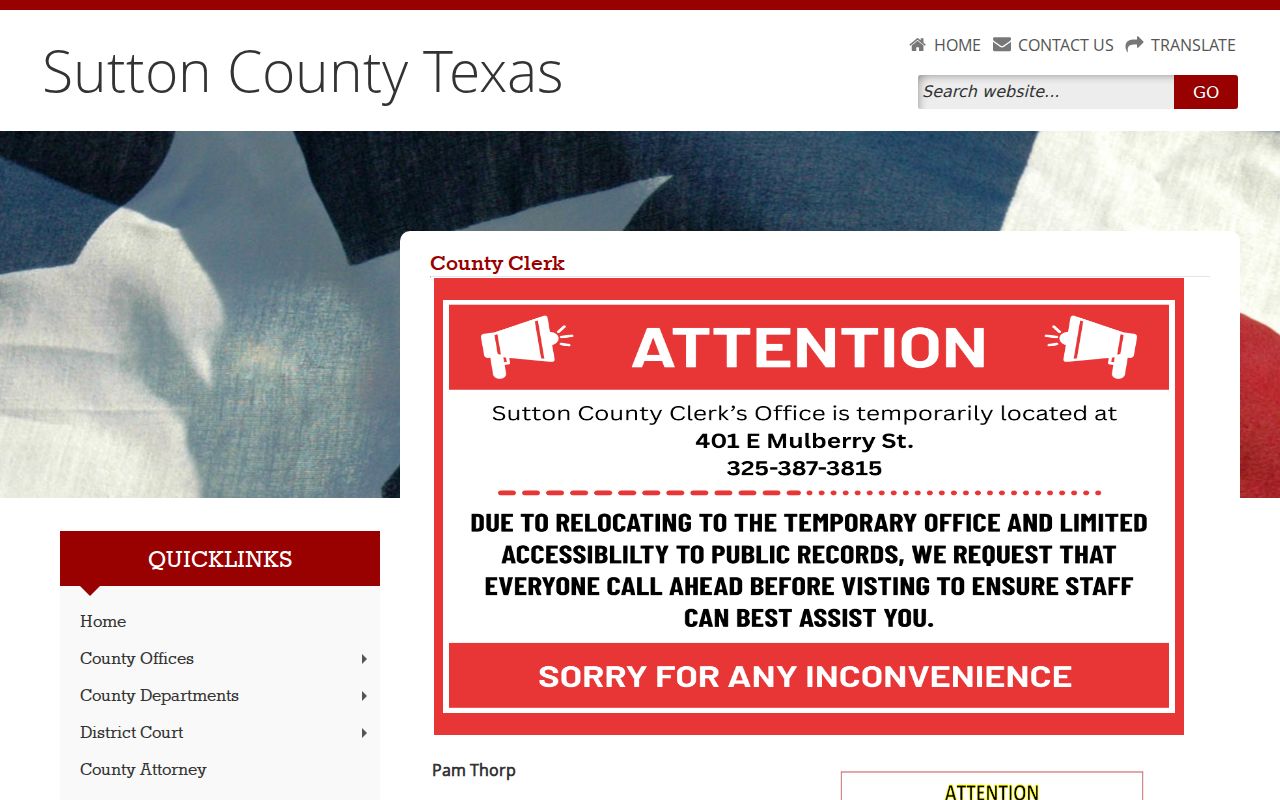
The county screen is the current identity source for the clerk function. It also warns that staff do not conduct civil searches by phone.
| Service | Published term |
|---|---|
| Plain copy | $1 per page |
| Certification | $5 per document where applicable, plus page charges |
| Card payment | 2.85%, with a $2 minimum |
| Turnaround | Usually one to two days; allow up to five business days |
Certified copies cannot be emailed. Mail and in-person delivery remain options, and the form provides email submission for a request. Published civil filing fees are separate from copy fees and should be confirmed before a new filing.
Pre-1992 Sutton Civil Files
Records before 1992 are not digitized or not fully digitized, according to the clerk. The current form says not to enter a file date before June 1992. For an older civil cause, call for routing, then use the in-person or older-search process the office confirms. The combined clerk is at 300 E Oak, Suite 3, Sonora, Texas 76950, with phone 325-387-3815 and weekday hours of 8:30 a.m. to 4:30 p.m., open through lunch.
The phone is not a name-search service. Supply a cause number, case style, party roles, file date, and document title whenever possible. Email and mail are documented request channels. A fax field appears as a delivery choice, but no stand-alone fax submission rule was found. No civil document subscription feed was located.
Note: iDoc Market and Kofile QuickLinks are land-record systems, not Sutton civil court docket searches.
Sutton Civil Docket Verification
A complete civil search may require more than one source. Use the county search map for the case identity, then compare the District or County Court docket and calendar for a setting. Consult the 112th local rules when the issue is how to request a district setting. Use the clerk form when the goal is a pleading, order, judgment, or certified copy. Each channel has a different job. Neither eFileTexas nor a land-record index should be treated as the public civil case search.
If a result is missing, check the court level, filing year, and exact cause number before drawing a conclusion. A protected family matter, sealed file, older paper record, or Justice Court cause may not appear in the main online route. Appeals from Sutton state trial courts go to the Fourth Court of Appeals, not the appellate line printed in the older civil fee sheet. Federal civil litigation uses PACER and the Northern District of Texas. The court named on the notice or pleading remains the safest routing clue.
Keep a record of the source and date used. Online entries and posted settings can change, while a certified clerk copy serves a different purpose. When a deadline or court appearance turns on the information, confirm it with the court or counsel. The clerk can explain the request process and delivery choices but will not perform a civil name search over the phone. Precise details reduce delay and help the custodian identify the right public record.