
How to Get Court Records
The Sutton County District Clerk page and County Clerk page identify one combined office led by Pam Thorp. Use its District Clerk function for 112th District Court felony, civil, family, probate, and juvenile files. Use its County Clerk function for constitutional County Court misdemeanor, civil, probate, and traffic files. Justice of the Peace and Sonora Municipal Court records stay with those lower courts.
Each documented channel has a distinct use. Current docket PDFs provide setting leads. The county judicial-record search map routes cases dated 1992 forward to County Court or District Court links. The statewide re:SearchTX portal is another official layer, though access can vary. Copies may be requested in person, by email, or for mail delivery. The phone line is useful for routing, but the clerk does not perform civil or criminal searches by phone.
- Identify the court, case type, cause number, party names, and exact paper needed.
- Check the county map, posted docket, or re:SearchTX for a case from 1992 forward.
- Use the current judicial-record request form for a plain or certified document.
- Email the form, take it to the counter, or select mailed delivery and provide payment.
- Confirm cost and access with the clerk, especially for an older or restricted record.
Sutton County Request Form
The current Judicial Records Request Form is the practical way to ask for a filed paper. It wants the Sutton County cause number, a document title or report and file date. Case type, party roles, delivery choice, and your contact details also go on it. Use one party name per form. Scope matters here. A docket line may name an event. It may not hold the motion, order, or judgment behind it.
- Cause number
- The identifier assigned by Sutton County or District Court. Copy it exactly.
- Document title
- The paper requested, such as an order, judgment, motion, or citation.
- Case style
- The formal title naming the parties or matter.
- File date
- The date the case or document entered the clerk's file.
Send the completed form by email to county.district_clerk@co.sutton.tx.us. Asking for everything at once can trigger pushback on scope and cost. Give the clerk a cause number and name the documents you want. That narrow request gives the Sutton County office a firm target. It also speeds the docket search.
Types of Court Records
Which office holds a Sutton County record? It depends on the court level, not just the county name. Some entries are docket sheets or posted lists that sum up activity. The case file is different. It can hold the actual papers filed and the orders a judge signed.
- District Court civil, family, felony, probate, juvenile, and child-protection records.
- County Court civil, probate, misdemeanor, and traffic records.
- Justice Court citations and lower-court civil matters.
- Sonora Municipal Court ordinance and municipal Class C files.
- Orders, judgments, pleadings, motions, citations, and public docket entries.
Sutton County appeals can climb into the Fourth Court of Appeals system. Federal matters are another world entirely. They run through PACER and the federal clerk. The Sutton County office cannot help you there. Knowing the difference keeps your docket request away from a keeper who never had the file.
Sutton Docket Versus Full File
A Sutton County docket PDF is a scheduling tool. It lists a cause number, the court, hearing dates, and short entries for each action. What it does not give you is every document image or a full finance ledger, and no sample should be treated as a complete record of the case. Read the entries with care. A line that says arraignment, pre-trial hearing, sentencing, or motion to revoke marks a court event on the calendar. By itself, that entry is not the final result.
| Source | Useful For | Limit |
|---|---|---|
| Posted docket PDF | Current setting, cause number, action | Not the complete file |
| Online case search | Index and available electronic entries | Coverage and access vary |
| Clerk copy | Named pleading, order, or judgment | Fees and restrictions may apply |
| Certified copy | Clerk-authenticated document | Cannot be emailed |
For Sutton County court records, the split matters. A docket entry tells you what to ask for, but only the official papers in the file show what the court actually received, filed, or signed.
What a Court Record Contains
What's inside a court record depends on the case type and what the court opened to the public. The request form and local dockets point to common Sutton County fields. When a local abbreviation appears without a definition in the source, leave it as written rather than guessing at an expansion.
| Cause Number | The local identifier, which may include DCCR or CCCR in criminal files. |
|---|---|
| Parties and Roles | Plaintiff, petitioner, applicant, defendant, respondent, or deceased, as applicable. |
| Pleadings and Motions | Requests, answers, petitions, and other filed papers available to the public. |
| Orders and Judgments | The court's signed rulings and final enforceable decisions when public. |
| Docket Entries | Dates, settings, actions, resets, and other recorded case events. |
A paper can be missing online and still sit in the official file. The clerk controls that copy, and law or court order can restrict it, so the search-results screen is never the final word.
Sutton Records Before 1992
Older Sutton County records work differently. The clerk reports that material before 1992 is not digitized, or not fully digitized. The current form tells you not to enter a file date before June 1992. That cutoff marks an access boundary. It does not mean the older court records are gone. For an earlier file, contact the combined clerk. Ask about an in-person search or the separate process for older records. The county page references a $10 older search fee. Confirm that cost before sending payment.
Skip the County Clerk's land-record tools here. iDoc Market covers more recent land records. Kofile QuickLinks holds older land indexes. Both deal in deeds and similar property papers rather than anything filed in a judicial case. State court-activity statistics also run on their own timeline, separate from when documents became available digitally.
For a hard-to-find older case, hand the clerk every verified detail you can gather. A party name, a rough filing year, the court level, the case type, and a known document title all help narrow a manual search. Ask about the process before you travel. Details on public terminals, scanners, and storage were not published.
Note: A record that is not digitized may still exist in paper or another archived form.
Certified Copies and Fees
A plain copy just reproduces the document on file. A certified copy adds the Sutton County clerk's authentication, which courts and agencies require for official use, and the county's current fee form publishes those terms. Note that the separate 2022 civil fee schedule covers filing and process charges, not the price of ordinary record copies from the court docket.
| Item | Published Amount |
|---|---|
| Plain copy | $1.00 per page |
| Certified County Court copy | $1.00 per page plus $5.00 per document |
| Card payment | 2.85% total charge, $2 minimum |
| Pre-1992 search | $10 referenced; verify first |
Sutton County clerks take cash, checks, money orders, and cards. Card numbers are redacted once payment clears. Expect a normal turnaround of one to two days. The office allows up to five business days. Mail requests add postage. Plain copies that qualify can go out by email, but certified copies cannot be emailed.
Sutton County & District Clerk
Sutton County Annex, 300 E Oak, Suite 3
Sonora, TX 76950
325-387-3815
Monday-Friday, 8:30 a.m.-4:30 p.m.; open through lunch
Sutton Judicial Access Rules
Judicial case files sit outside the usual agency-records system, and the Texas Office of Court Administration access policy explains why. The page also lays out the judicial-record route in a clear visual summary.
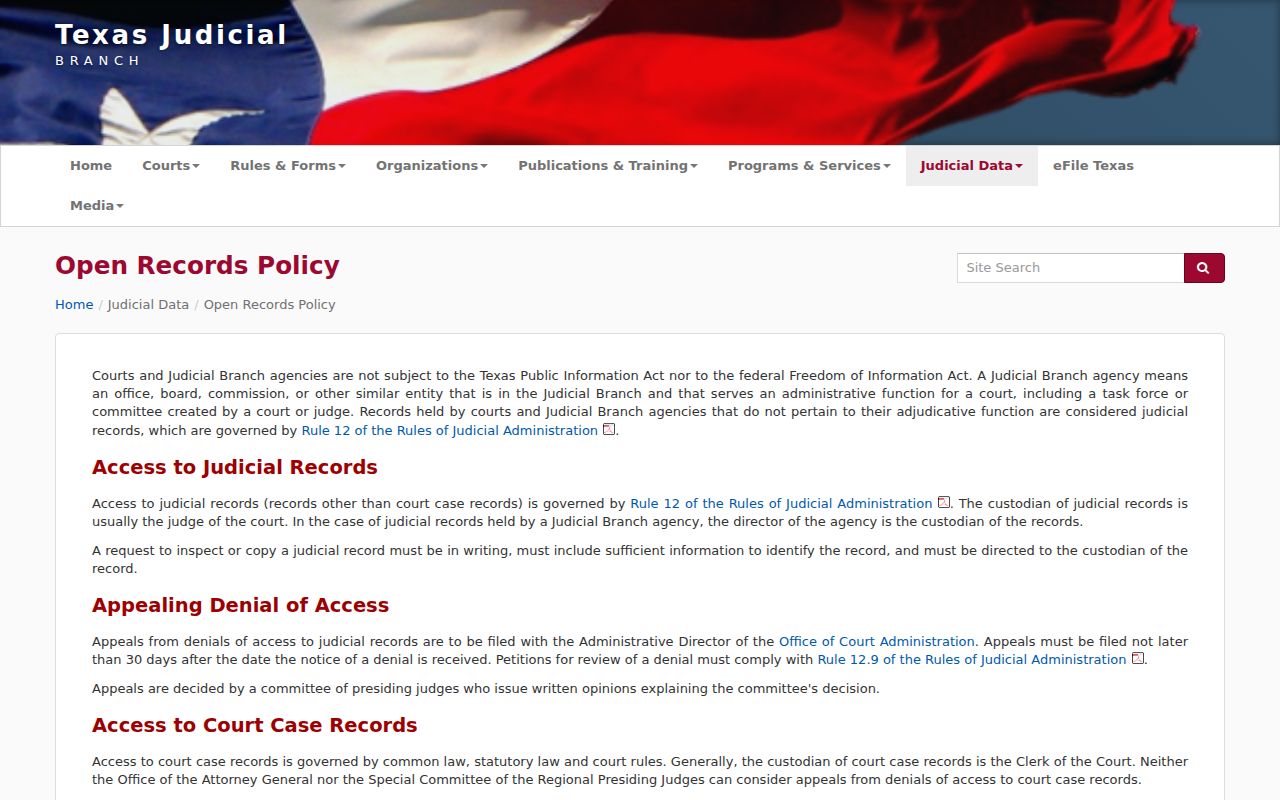
The policy sends readers to court rules and to whichever office actually keeps the record. That advice fits Sutton County's clerk-first approach to copy and access questions.
Administrative county records may fall under the Texas Public Information Act. But Texas Government Code §552.0035 sets judicial records apart. For covered judicial records, Texas Rule of Judicial Administration 12 provides a request process. And it offers a way to review denials. Statutes, common law, and court rules can all shape what a case file allows.
Lower courts keep their own files. A JP citation file stays with the Justice office. A Sonora ordinance or municipal Class C matter sits with Sonora Municipal Court. The combined clerk cannot certify a file it does not hold.
Public Access and Sealed Records
Plenty of Sutton County court records are open. Access still has limits, though. Juvenile, adoption, mental-health, family, expunction, nondisclosure, and protected identifying material may all be restricted. A blank result in a docket search can mean a date-range gap, a vendor problem, a lower-court file, slow digitization, or no posted docket for that date. It does not prove the case never existed.
Key rules:
Texas Rule of Judicial Administration 12 addresses access to covered judicial records, the custodian, written requests, and review of a denial.
Texas Government Code §552.0035 explains the judiciary's distinct treatment under Chapter 552.
Texas Rule of Civil Procedure 76a starts with an open-record presumption and sets the civil sealing standard.
If a clerk denies access or flags a file as restricted, ask which rule or statute applies. Ask whether a party request, court order, or other showing would unlock it. Do not try to work around the limit. A certified copy or a clerk's written answer beats a thin public index every time.
Sutton County publishes no single local list of every restricted category. So ask the custodian a precise question. Do not guess. State law, the case type, and a specific court order can each change the answer.
Sutton Court Record Delivery
Email, mail, fax, and certification each work differently. The request form offers an email choice for eligible copies plus a fax field, but it sets out no stand-alone rule for faxing a submission in. Postage applies to mailed records. Certified copies must come by mail or at the office. Confirm the channel up front so your Sutton County court record arrives the way you need it.
Walk-in service runs during the clerk's posted weekday hours. The court offers no drop box, subscription feed, self-service scanner, or public terminal. Ask the clerk before counting on any of those.